Common Salesforce Security Gaps Found During Audits
Many companies discover Salesforce security gaps when something goes wrong: compliance flags, unexpected data flows, or worse, a Salesforce security breach that thrusts everyone into crisis mode.
That іs why a Salesforce security audit must be a proactive inspection that highlights privilege creep, stale accounts, forgotten external apps, and more – to prevent them from becoming serious problems.
Reality underlines this urgency. In late 2025, over two hundred SF customer instances were attacked through abused OАuth tokens synced to 3rd-party integrations. And this is a good reminder of how external connections can expose data.
So, understanding where your org tends to weaken is vital. It allows your admins and security staff to shift away from reactive firefighting and toward predictable, managed risk oversight – supported by the Salesforce security tools and disciplined governance.
In this article, we’ll study the Salesforce security gaps most frequently uncovered during Salesforce security audits and explain why they persist unnoticed for so long. We’ll also advise a strategy that keeps any risk visible, controlled, and review-ready.
Why Do Salesforce Security Gaps Stay Invisible for So Long?
SF earns its reputation as a secure platform. Yet, a Salesforce security audit does not always reflect that promise at the org level. Why? Because real environments usually evolve under pressure: features pile up, users customize aggressively, integrations multiply.
“Each change leaves behind configuration residue that slowly reshapes Salesforce data security,” says Yana Chekan, Head of Delivery at Synebo.
What auditors uncover often clashes with what companies believe they locked down. And that mismatch fuels many Salesforce security issues – long before anyone names them as risks.
At the heart of the problem sits a quiet assumption: platform secure equals org secure.
SF indeed greatly protects its infrastructure. So, where is the catch with Salesforce security vulnerabilities then, you may ask?
Right here:
- User confidence in the platform overlooks customer-specific configs. True: businesses often assume SF-native security covers all risks, but underestimate how their own setup choices impact the threat surface.
- Internal configurations are the primary risk source. Most Salesforce security risks emerge in your org – because of various customizations you use.
- Complexity creates blind spots with time. Custom permission sets – grow, sharing rules – drift from their original intent, legacy users have access long after relevance.
- Untracked OAuth and 3rd-party access. Integrations gain broad permissions without continuous oversight. They “naturally” expand exposure outside standard control paths.
We would also add here that attackers usually favor indirect entry points. The 3rd-party connections offer routes around core defenses and so introduce Salesforce security threats that default controls rarely spot.
Why These Gaps Infrequently Raise Alarms Early
Security weaknesses tend to grow gradually. And not dramatically. Such “lazy” pace explains why Salesforce security risks escape your notice until compliance reviews or incidents force your attention.
Plus, growth and change dilute ownership. You, as many other teams, may prioritize delivery. Periodic reviews slide down the backlog. What’s more, with time, familiarity with the org creates an illusion of safety, even though exposure widens between users, apps, and data.
Audits, by the way, often reveal the same patterns, regardless of company size or industry:
- Permission creep hides in plain sight. Access expands role by role, project by project. Sure, no single change looks dangerous. Yet, their cumulative effect weakens Salesforce data protection. Plus, it worsens Salesforce security compliance.
- Access is not built on the Principle of Least Privilege from the very beginning. Very often, companies neglect this and grant access where it is not really needed.
- Inactive/outdated accounts are still “trusted”. Former empІoyees, contractors, test users – they often retain access to their orgs. Be ready: this also increases audit findings during a Salesforce security review.
- 3rd-party apps operate without oversight. OAuth tokens stay active after their business value fades. These integrations bypass UI controls and – we’ve mentioned it above – introduce unmonitored Salesforce security vulnerabilities.
- Sharing rules differ from intent. What once supported collaboration between your employees gradually but inevitably exposes records beyond their original scope. This reshapes Salesforce data security without explicit approval.
- Past reviews create misplaced confidence. Important: “We checked this before” discourages your fresh scrutiny. Even though your org structures, licenses, and integrations no longer resemble their state from last year’s state.
Next, we’ll unpack these and other Salesforce security threats in detail. But here’s a little spoiler: even a formal Salesforce security health check changes the story drastically.
Read Also: What Is a Salesforce Health Check and Why Your Org Needs One?
Run it, and you regain visibility into how your data, accesses, and integrations behave today.
Seeking help closing your Salesforce security gaps? Hire a Salesforce consultant at Synebo to strengthen controls and stay audit-ready.
Common Salesforce Security Gaps Found During Audits
As Synebo’s practice shows, a Salesforce security audit never fails because of one dramatic flaw. Instead, reviews expose a pattern of small, familiar weaknesses that inch forward unnoticed.
Each gap on its own feels manageable. Together, they undermine security in Salesforce, challenge Salesforce security compliance, and overall fuel the tension that the company’s leaders feel the very moment auditors ask for proof of control.
Read Also: How to Run a Salesforce Health Check
Below are the common Salesforce security gaps that are most frequently flagged when teams perform a Salesforce security audit for mature and heavily used orgs.
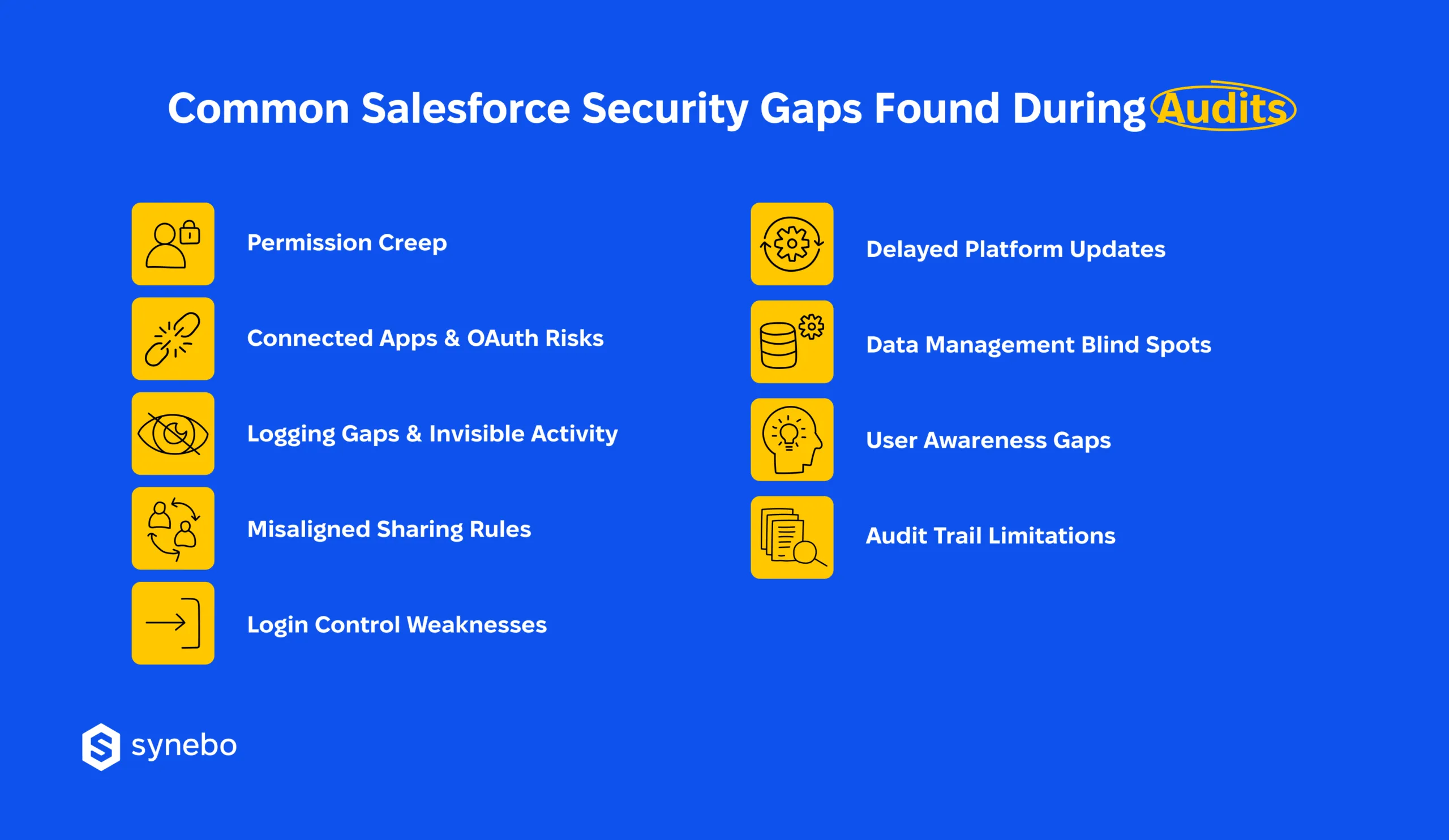
1. Permissions: Access That Grows Without Consent
Our experience proves that this remains the most consistent finding in any Salesforce security assessment. Users collect privileges as roles change and projects shift. And – many temporary accesses become permanent.
Why is this happening?
- The “least privilege” principle degrades if you favor speed over restraint
- Profiles accumulate exceptions that no one fully maps
- Permission sets stack without expiration or ownership
- Sharing rules create unintended visibility for roles and teams (we’ll cover this further below)
Indeed, auditors often discover users with access to data they no longer need, or never required at all. This increases the blast radius of compromised accounts, even when login controls are sound.
2. Connected Apps & OAuth Risks: The Quietest Entry Points
In modern Salesforce orgs, 3rd-party integrations are everywhere. Yet, we see that oversight rarely keeps pace. Here, the same story unfolds: your security ops may hear that AppExchange enforces standards, then overlook the fact that every connected app introduces its own trust model.
During a Salesforce security audit, these connections appear as high-risk Salesforce security vulnerabilities:
- Connected apps request OAuth scopes broader than business use
- Trust settings are vague or undocumented
- Tokens persist long after integrations lose their relevance
- Social engineering may trick users into authorizing malicious apps
Unlike UI access, OAuth bypasses many visible controls. Once granted, it operates silently in the background. Auditors routinely flag this area as one of the weakest points in Salesforce data protection, especially when no one monitors connected app behavior.
3. Logging Gaps & Invisible Activity: When Proof Doesn’t Exist
We’ve noticed that many orgs still rely on default logging (even as auditors expect demonstrable oversight). The absence of Salesforce security monitoring often triggers a specific form of anxiety: the inability to prove control after the fact.
This often shows up in a few key gaps:
- No alerts for risky actions or privilege escalation
- Event data is retained for too short a window
- Compliance staff chases logs that never existed
- Reviews start weeks after the activity occurred
For many companies tools like Security Health Check in Salesforce, Event Monitoring, or Shield appear in documentation, yet remain unused in practice.
Auditors usually do not debate intent; they look for evidence. When logs fail to answer basic questions, confidence erodes quickly.
4. Sharing Rules: Data Seen by Wrong Eyes
By now, you’ve probably realized that sharing models change as businesses grow, but controls don’t receive the same attention. During audits, these missteps are seen as direct threats to data security in Salesforce.
This may play out in the following ways:
- Public access settings left open long (longer than you planned)
- Experience Cloud sites expose internal records
- Guest user permissions move beyond safe limits
- Sensitive objects are visible to wide internal audiences
Auditors often demonstrate exposure with a few clicks (which itself reframes abstract risk into – let’s be honest – concrete failure). These findings weigh heavily in Salesforce security compliance reviews, especially in regulated environments.
5. Login Controls: MFA Gaps Still Appear
Despite SF guidance, Salesforce security audits still often uncover orgs with incomplete MFA coverage. What’s the problem here? Exceptions multiply, enforcement lags, and attackers favor phishing over brute force because it works.
This usually happens because:
- MFA exclusions are granted without review
- Legacy users can bypass modern controls
- Enforcement is inconsistent for apps and entry points
Login weaknesses amplify every other issue in security in Salesforce. When hostile actors target an account with excessive access, the result escalates from inconvenience to breach.
6. Slow-to-Apply Updates: Known Risks Left Open
SF releases security improvements regularly. Yet, many companies/orgs postpone their adoption. Meanwhile, during a Salesforce security audit, auditors view delayed updates as an exposure you can avoid.
This can show up in such ways:
- Critical security updates are ignored or deferred
- Deprecated features are still active
- Known exploits are left unresolved
This gap often surprises the company’s C-level executives. Especially when issues appear in Salesforce security health check documentation as long-standing recommendations.
7. Blind Spots in Data Management & Retention
Audits also show weaknesses beyond access control. It’s quite typical when data handling practices lag behind business reality and create risk that no firewall can offset.
These gaps may appear in the following critical areas:
- Sensitive fields are left unencrypted
- Organization-Wide Defaults are set too loosely
- Retention policies are inconsistent or undocumented
These findings tie directly to Salesforce data protection obligations and frequently require remediation under tight deadlines.
8. User Awareness Gaps: Human Risk Factor
Even strong tech controls fail when users don’t understand their role. And, by the way, auditors often see that quite well-meaning actions create serious security exposures.
For example, these incidents often stem from a few common user mistakes:
- Users open phishing emails and reveal login details
- Accidental data is shared through misconfigured reports
- Users overestimate familiar workflows
When users lack context, their everyday behavior frequently becomes a source of Salesforce security issues, even in well-controlled orgs.
9. Audit Trails That End Too Soon
Finally, many orgs underestimate how long they need to retain activity data. Default limits fall short of regulatory expectations, frequently surface during a Salesforce security scan, and leave teams unable to reconstruct events.
This becomes visible through patterns such as:
- Logs that were purged before investigations began
- No centralized review process
- Manual evidence collection (that slows audits down)
Auditors expect traceability to validate Salesforce security compliance. Without it, even minor incidents escalate into compliance concerns.
Again: individually, each issue is usually manageable. When they are combined, they explain why so many companies scramble when auditors arrive.
“Security gaps rarely announce themselves. Audits simply make them impossible to ignore,” says Yana Chekan, who has seen many Salesforce security breaches over the past 10 years.
Still, she adds, regular Salesforce security checks do a lot to ease this tension. They give you visibility, reduce exposure, and replace uncertainty with control you can act on.
Take control of your org’s security before auditors arrive. Leverage Salesforce security audit services from Synebo to address exposure and stay fully prepared.
Proactive Security Strategy That Holds Up Under Audit Pressure
What we know for sure is that reactive fixes collapse the moment auditors ask follow-up questions. So, we always recommend a durable approach to security in Salesforce that treats audit readiness as an operating state, not a seasonal effort.
Read Also: Salesforce Security Health Check: What to Review Every 6-12 Months
Such an approach removes uncertainty before regulatory pressure or executive scrutiny turns it into stress.
Below is a working strategy that is grounded in what audits actually test.
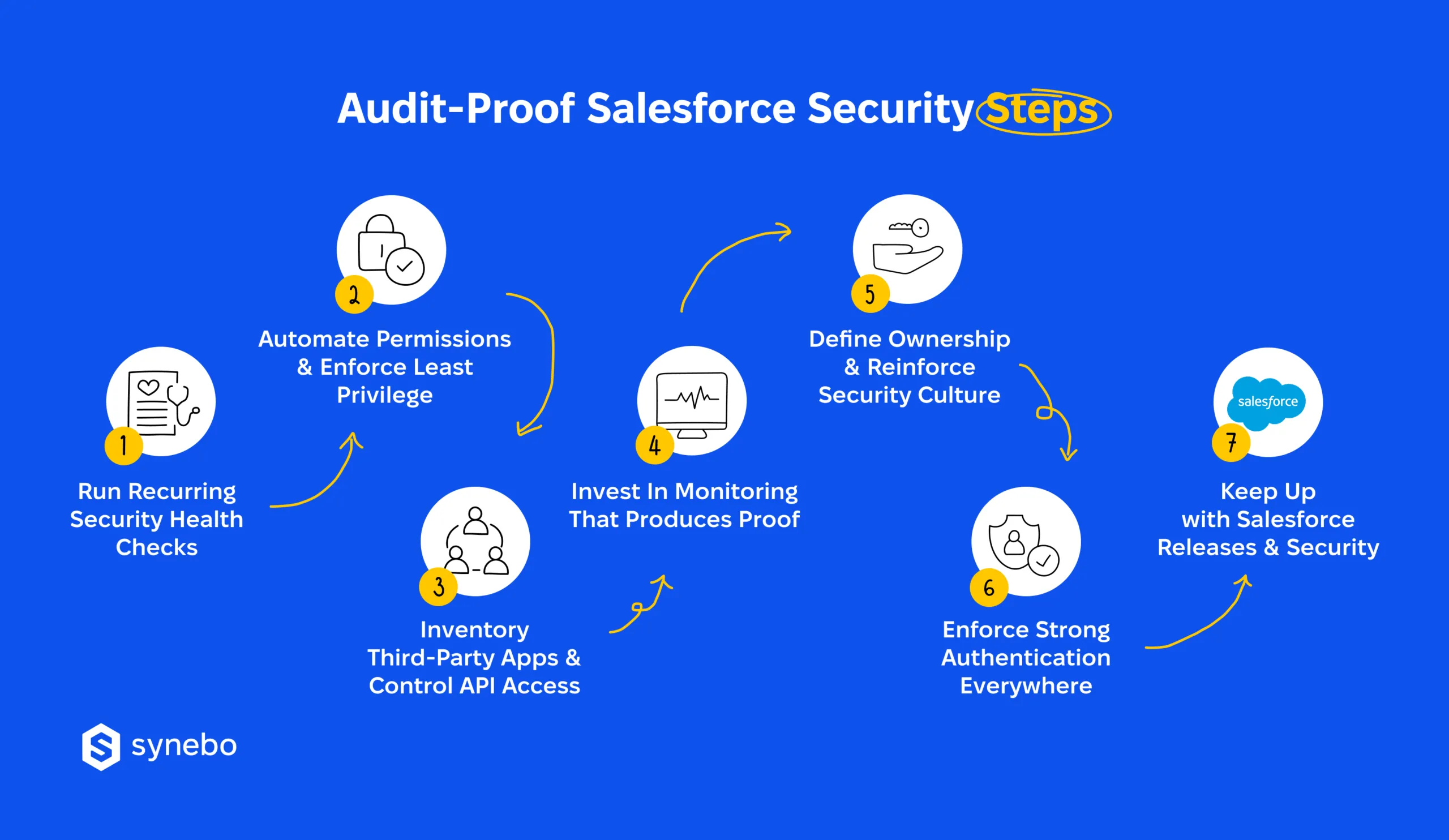
Perform Recurring Security Checks
A scheduled Salesforce security assessment keeps visibility current as your org evolves. If you rely on past reviews, you – alas – underestimate drift in access, data exposure, and integrations.
Regular Salesforce security health check reviews, backed by documented outcomes, give you an evidence-based foundation for your security posture.
Automate Permission Reviews & Enforce Least Рrivilege
Аt scale, manual access reviews fail. Automated analysis, on the other hand, highlights unnoticed permission expansion, expired roles, dormant users long before auditors flag them as Salesforce security vulnerabilities.
Least-privilege enforcement narrows exposure, reduces the impact of compromised accounts, and overall strengthens Salesforce data security for and between users and teams.
Inventory 3rd-Party Аpps & Сontrol API Аccess
All and every connected app deserves the same scrutiny as your internal user. When you keep up-to-date inventory, you know their ownership, business value, and OAuth scope usage.
So, we advise that you tighten API controls and close gaps that frequently appear as vulnerabilities during Salesforce security audits, especially when integrations outlive their purpose.
Invest in Мonitoring Тhat Рroduces Proof
Effective Salesforce security monitoring replaces assumptions with records. Shield and Event Monitoring supply the activity trails that auditors expect to see.
When executives check who interacted with records, timestamps give them the answer immediately.
Define Ownership & Reinforce Your Security Сulture
Without accountability, controls lose effectiveness. Assigned responsibility for access reviews, integration approval, data exposure decisions help you understand who is in charge.
Our experience says that targeted training helps reduce human-driven risk. Plus, it well supports Salesforce data protection beyond tech settings.
Enforce Strong Аuthentication Everywhere
Consistent MFA and password standards help efficiently minimize phishing threats. They also protect your privileged users.
Auditors treat incomplete coverage as a risk you can prevent. So, to strengthen Salesforce security monitoring in your org, our recommendation is to regularly review exceptions. Make sure all your accounts comply with MFA and password policies.
Apply SF Releases & Security Updates
Deferred updates – undoubtedly – signal unmanaged exposure. And here, our short and quite obvious tip is to аpply critical changes quickly. This is an essential step in your active risk management.
In practice, those companies that adopt such a strategy approach audits differently. Instead of rushing to satisfy requests, they reference established controls, documented reviews, and clear outcomes.
Such confidence often reflects guidance from proficient Salesforce security consultants (or Salesforce consulting services). Yet, the advantage is in consistency, not tools alone. Proactive security always eliminates your anxiety. (And auditors notice the difference immediately.)
When Salesforce Security Audits Stop Being a Surprise
So, audits don’t fail simply because you “ignored security”. There’s more to the story here. A Salesforce security audit breaks down when integrations escape your oversight, access expands without your control, and illusive confidence replaces evidence.
Yes, undetected privilege growth, inactive accounts, misconfigured sharing rules can feel good in familiar orgs where nothing seems wrong.
Until scrutiny begins.
A Salesforce security check (which you perform regularly) clarifies at once how security in your org functions today. It much eases audit pressure on you, supports compliance discussions, and restores your executives’ confidence and calmness – with facts.
If your org needs an external perspective, the Salesforce security specialists at Synebo can help you uncover real exposure, document control, and prepare for audits – without disruption. Contact us.