Salesforce Winter ’27 Release: What Matters for Businesses
SF Winter ’27 brings a fresh batch of changes. Yet, businesses need more than a long list of Salesforce Winter ’27 release features. The questions that matter for you are more practical: What could affect your current org? Which Salesforce updates deserve attention? And is your setup ready for the upgrade?
The Salesforce Winter 27 release – as always – brings changes. But not every update belongs on your roadmap. Some may improve your sales or service workflows. Others may require changes to config, integrations, or data. This makes Salesforce Winter 27 release notes a starting point. Not your business plan.
This article focuses on what matters: upgrade impact, adoption priorities, org readiness. You’ll see which new Salesforce features deserve your closer look and where a Salesforce health check can help before the updates roll out.
What Makes Salesforce Winter 27 Different From Another Routine Release?
The main distinction is that the Salesforce Winter 27 release moves beyond feature-by-feature improvements. It brings AI, data, and automation closer together in the flow of everyday business.
Officially, SF now positions the release as a move from AI experiments toward concrete business impact.
When Is Salesforce Winter 27 Release?
The Salesforce Winter 27 release dates that call for your attention are:
- Sandbox previews. Began in late summer – August 28, 2026.
- Production upgrades. Rolling out through September and October. The key days are October 2 & October 9, 2026.
Your exact Salesforce Winter 27 release date depends on your instance. So, check the Salesforce Trust Status page before planning changes.
This season’s 3 overarching themes in the release are:
- Agentforce Moves Deeper into Everyday Workflows. AI reaches deeper into sales, service, scheduling, commerce, and other operational processes. It’s moving from “Here’s your answer” to “I’ll take care of it” – with access to your business data.
- Automation Gets Easier to Build & Manage. In the Salesforce Winter release, new tools help build, test, refine AI-powered workflows before they reach users. For admins and architects, this makes automation far less painful to maintain when reqs grow.
- Security & Readiness Matter More. As AI gets closer to core business processes, data access, governance, testing, org configuration become more important. The Salesforce release notes for Winter 27 include changes that may affect your customizations.
Yet, for CIOs and CTOs, Winter ’27 does not mean adopting every new capability, advises Anatoly Voronov, CTO at Synebo.
“The better approach is to assess which Salesforce Winter 27 features fit your processes, data foundation, and current maturity,” he adds.
Which Winter ’27 Features Can Make Difference to Your Business?
The useful way to assess the Salesforce Winter ’27 new features is by business problem, not by just feature counts. Instead of running through every item in the SF notes, ask where your setup still wants your people to spend time on work that could be easier.
Here are some areas where the new Salesforce release can make work easier.
How Can Winter ’27 Help Sales Teams Spend Less Time on Admin Work?
Sales crews get several updates aimed at cutting their manual job and giving sales managers a better view of pipeline activity:
- AI-Suggested Follow-Up Actions. If you use Einstein Conversation Insights, the Salesforce Winter ’27 updates can now turn meeting outcomes into suggested next steps – faster.
- Post-Meeting Voice Notes. Your reps can jot down key takeaways by voice as soon as a meeting ends, even if no transcript is available. It’s a faster way to capture details while they’re still fresh.
- Pipeline Forecasting Improvements. Forecasting gets a richer view of what is happening around the deal: risk signals, contact insights, methodology scores, activity trends. This lets your reps spot opportunities and catch problems early.
- Agentforce Prospecting. In the next Salesforce release, Agentforce can help identify potential prospects and research accounts. This reduces the amount of manual prospect work.
- More Agentforce Activity Visibility. Your admins and Sales reps can now open individual Agent Activity sessions and see which records the agent reviewed and why prospects were qualified or ruled out. It gives more visibility into how the agent made its selection.
Business impact. The Salesforce Winter 27 release helps your reps spend less time on data entry and prospect research. And your managers get better visibility into pipeline health and sales activity driven by AI.
How Can Winter ’27 Help Service Teams Reduce Repetitive Work?
For service operations, several Salesforce Winter ’27 new features target the small tasks that pile up during a day:
- AI-Powered Case Comment Writing. Reps can polish, expand, summarize case notes with АІ support.
- Knowledge Improvements. The features in the Salesforce latest version gives your Service Dept better access to relevant info. This helps your реорle find answers faster, рlus keep their Knowledge base useful.
- Multiple Customer Needs per Case. More targeted Knowledge recommendations support cases that contain several customer needs.
- Milestone Cleanup. The latest Salesforce release lets you delete old/irrelevant or incorrectly created milestones. It keeps case management cleaner.
- Automatic Work Summaries. Messaging sessions and voice calls can receive automatic summaries. This surely reduces post-talk documentation.
- Customer Notifications During Chat Rerouting. Your customers now receive updates when their conversation moves to another rep.
Business impact. With the Salesforce latest release, your Service reps start spending not so much time writing/searching. Your customers get clearer communication plus faster access to answers.
How Can New Flow Capabilities Make Existing Processes Easier to Manage?
The Salesforce Winter 27 release also targets the people who are responsible for automation. The focus here is practical: make large SF environments easier to test and maintain:
- Repeatable Flow Testing (Beta). You can check if automation behaves as it must – before changes go live.
- Better Flow History and Comparison. Winter ’27 makes it easier for your admins to review what changed over time. And compare versions more easily.
- Flow Tags and Better Organization. Tags help your teams classify and find Flows painlessly. Automation gets easier to manage when the org grows.
- Faster Flow Cleanup. Тhe Salesforce Winter 27 release lets admins quickly identify unused or undocumented Flow resources and clean up automation more efficiently.
- Earlier Warnings for Missing Information. Some issues can now be caught before automation runs.
Business impact. The Salesforce Winter 27 release helps you maintain SF automation with fewer manual checks. Plus, it handles ongoing changes more efficiently.
How Can Winter ’27 Help Keep Salesforce More Secure?
The freshest release also adds administration and security controls that matter when SF becomes more deeply involved in daily operations:
- More Focused Setup Access. You get greater control over who can review SF configuration changes.
Business impact. The latest SF version helps you strengthen control over admin access. And spend less time on routine org configs.
How Can Winter ’27 Help Get More Value From AI And Agentforce?
This is where the Salesforce Winter ’27 release features become especially relevant for companies with an active AI roadmap. The release pushes Agentforce into more specific business activities, with better human oversight:
- Agentforce Engagement. Formerly Lead Nurturing, this capability runs on a new Agentforce Builder built on Agent Script. You get more control over agent behavior. Рlus – human approval options for outbound emails.
- Marketing Goals Agent. Marketers can now set a goal, budget, and audience. The agent creates and runs a marketing strategy within those set limits.
Business impact. The Salesforce Winter 27 release enables Agentforce to take on more complex business activities. Yet, you retain more control over how AI acts and the limits it operates within.
How Can Winter ’27 Help Reduce Salesforce Maintenance Work?
Development and platform updates address another common concern: how much effort your SF environment requires to be healthy as your business and SF itself grows. The Salesforce Winter 27 release brings:
- Support for Larger Volumes of Data. Higher Арех heap limits give devs more room to process larger datasets – they don’t hit memory limits.
- Easier Use of External Web Components. Devs can reuse 3rd-party web components in LWC. Not rebuild them for SF.
- Better Identification of Duplicate Code. The Salesforce Winter 27 release lets devs more easily spot multiple versions of similar functionality.
- Faster Code Updates. Devs now waste less time and don’t wait when SF recompiles code after changes. It also makes maintenance and updates faster in large environments.
Business impact. Devs deal less with platform limits or duplicate functionality. Еspecially in more complex SF environments.
Will Winter ’27 Affect Your Existing Salesforce Setup?
Yes, potentially. But the risk sits less in the release itself and more in how your org is built. Before the Salesforce Winter 27 release, check where custom logic, access rules, integrations, and AI processes meet.
What to check – specifically:
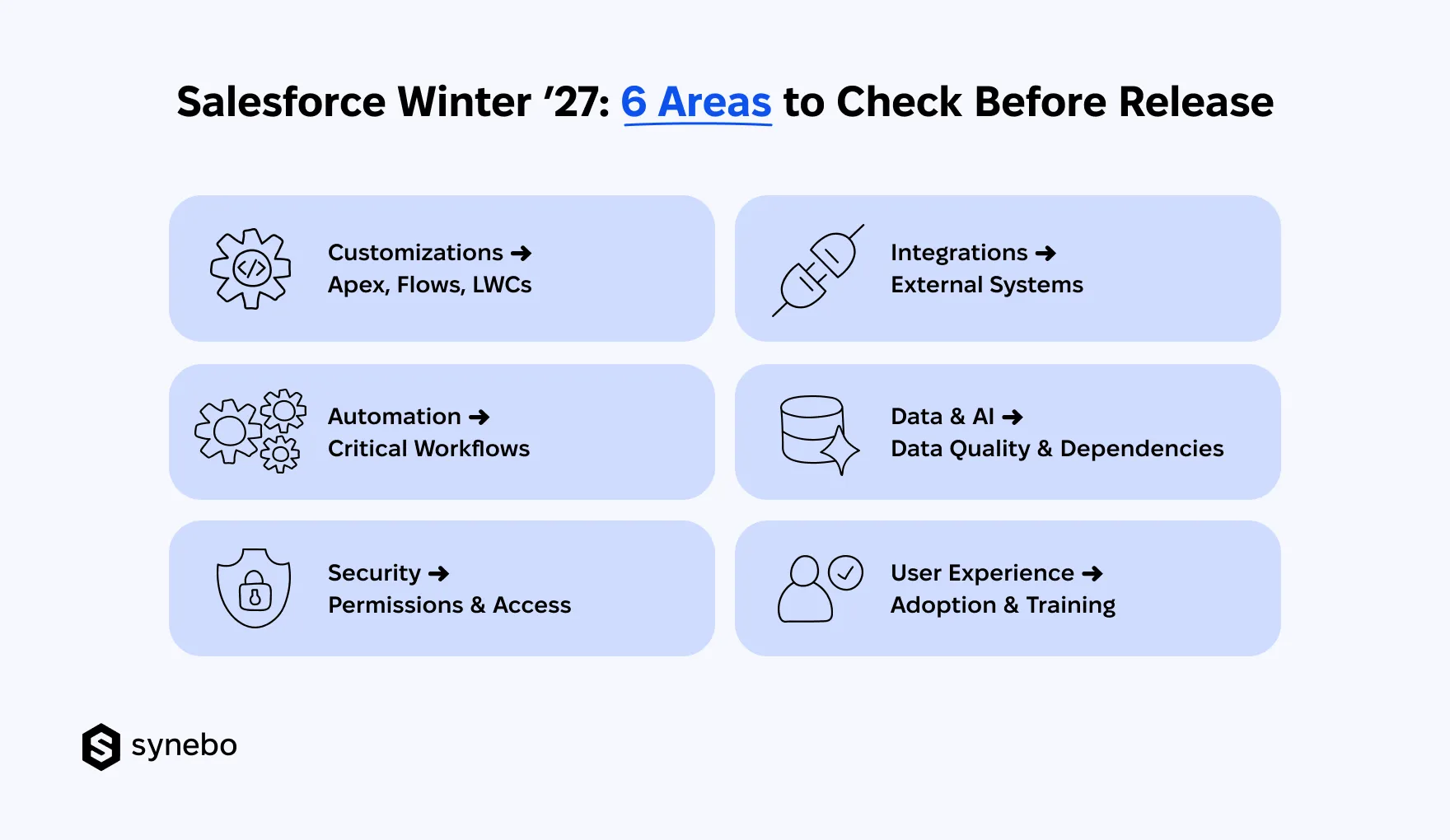
- Customizations. Code. Review Арех, Flows, LWCs that support critical processes. Custom components that are tied to standard SF behavior deserve your extra attention.
- Automations. Workflows. Map automations behind sales, service, approvals, notifications. Confirm that key flows still produce the expected result.
- Security. Permissions. Check profiles, permission sets, sharing rules. Also check access to new capabilities. New options may require your fresh look at who can use them.
- External Integrations. Inventory connections with ERP, marketing, finance, data platforms. Test anything that depends on APIs, also on objects, fields, authentication settings.
- Data Quality. AI Dependencies. Poor data can affect features that rely on clean records (AI capabilities). So, before enabling Salesforce new features, review data used by Agentforce.
- User Experience. Adoption. Flag those changes that could alter daily work of your various Depts. Then decide which Depts need training or process updates.
I can add that Synebo’s Salesforce health check services can help you detect where your org could be caught off guard and show where a closer look could save you headaches.
Which Winter ’27 Features Should You Adopt First?
The best way to approach the Salesforce Winter 27 release is not to chase every item in the notes. This Winter brings updates for Sales, Service, automation, security, AI, platform management. So, start with the business problem you want SF to solve.
Use 5 questions to set your priorities:
- What Problem Needs Attention? Start with the work that costs your people time. Or slows your customers down. Or limits sales activity. Match that problem to the relevant Salesforce Winter 27 features.
- What Business Value Could It Add? Give priority to those updates that can improve productivity, CX, revenue. A small feature can rank high if it fixes an issue your people deal with every day.
- Is Your Org Ready? Check your current customizations. Review automation, data, permissions. Assess integrations. Do it before you add a new capability.
- How Much Effort Will Adoption Take? Compare the expected benefit with the admin, dev, testing, training, and change-management work involved. This will also help you decide which Salesforce release updates are worth adopting now.
Not sure which Winter ’27 updates are worth prioritizing? Talk to Synebo, a Salesforce consulting partner, and we’ll help you focus on what benefits your org.
What Should You Do Before Salesforce Winter 27 Release Goes Live?
Before you start changing anything, look at what is already running in your org. A quick health check can show where a little preparation may save you from surprises. If the picture isn’t clear, Synebo’s Salesforce consultants can help turn the release notes into your practical readiness plan.
Use this short readiness plan:
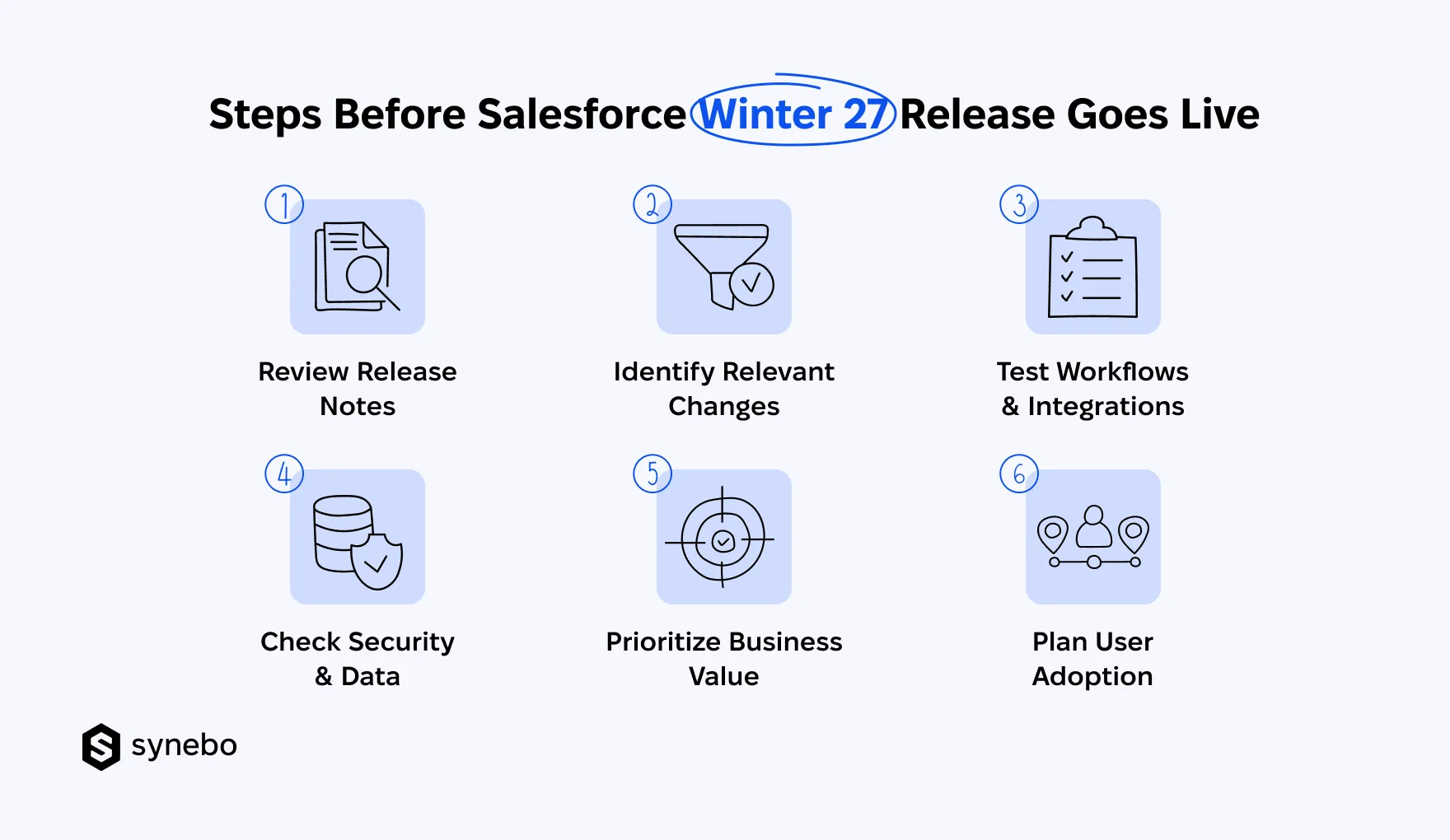
- Review Salesforce Release Notes. Don’t read them from top to bottom. Start with the parts that match your SF edition, products, and setup. Your goal is to find what matters to your org.
- Map Relevant Changes to Your Org. Found something interesting? Now ask a more useful question: where would this change show up in your org? Check your workflows, customizations, integrations. Look at your teams which can be affected by the change.
- Test Critical Processes. Start with the processes your people rely on heavily (every day). Run through key sales, service, automation, and integration scenarios. If something behaves differently, you’ll spot it during testing, not during a crazy Monday morning.
- Check Security and Data Dependencies. A fresh SF feature may look harmless. Yet, the game may change when permissions or data dependencies enter the field. Check who can access the affected functionality, what data it uses, which connected systems depend on it.
- Rank by Business Value. Evaluate Salesforce updates by the problem they solve and the value they bring. Plus, the effort your staff will need to adopt them. If an update fixes a recurring pain point, move it up the list.
- Prepare Users for Workflow Changes. If your people will have to work differently, еxplain what is changing, who will notice it, and what they must do. A short guide or quick training session can be enough for smaller workflow changes.
One thing І’ve learned from delivery: the best Salesforce release preparation is rarely about adopting more features. It’s knowing which changes need action, which need testing, and which are better left alone.
Make Winter ’27 Work for Your Business
The Salesforce Winter 27 release is only valuable if it improves something that your business cares about. The right approach is to filter the Salesforce Winter ’27 release highlights through your org, your priorities, your users.
You don’t need to know every new feature. You need to know which ones deserve attention and which ones can wait. If this assessment feels difficult to make internally, our Salesforce consultant can review your org, show potential risks, and help shape a practical adoption plan.
Need a second pair of expert eyes before the upgrade? Talk to Synebo, your Salesforce consulting partner, for a Winter ’27 health check and readiness review.