Inside Claudeforce: Salesforce and Claude Integration Explained
You already have the CRM and the data. You may even be using Salesforce AI. So what happens when Salesforce and Anthropic (Claude) bring their technologies together? Especially аs AI is moving beyond separate assistants toward systems that understand business needs and can act on them?
Claudeforce, the new connection between Salesforce and Claude, brings Anthropic’s AI closer to your CRM data, business rules, workflows.
It poses many practical questions. If your company already uses Claude, Agentforce, or both, what additional value can Claudeforce bring? How does Сlaudeforce work overall? And which SF processes benefit from it?
In this article, we answer these questions and explain what Claudeforce is, how it compares with Agentforce, and what you should do before adopting it.
What Is Claudeforce?
It’s a collaboration, not a product you install. It’s the umbrella brand for Salesforce and Anthropic’s partnership. And Salesforce in Claude is one concrete outcome of this partnership.
If you are a Salesforce customer, for you, probably, the interesting part isn’t that Salesforce and Claude (plus Slack) can work together. It’s that your customer data, AI assistance, and your team decisions can become part of the same workflow.
What does it mean in reality?
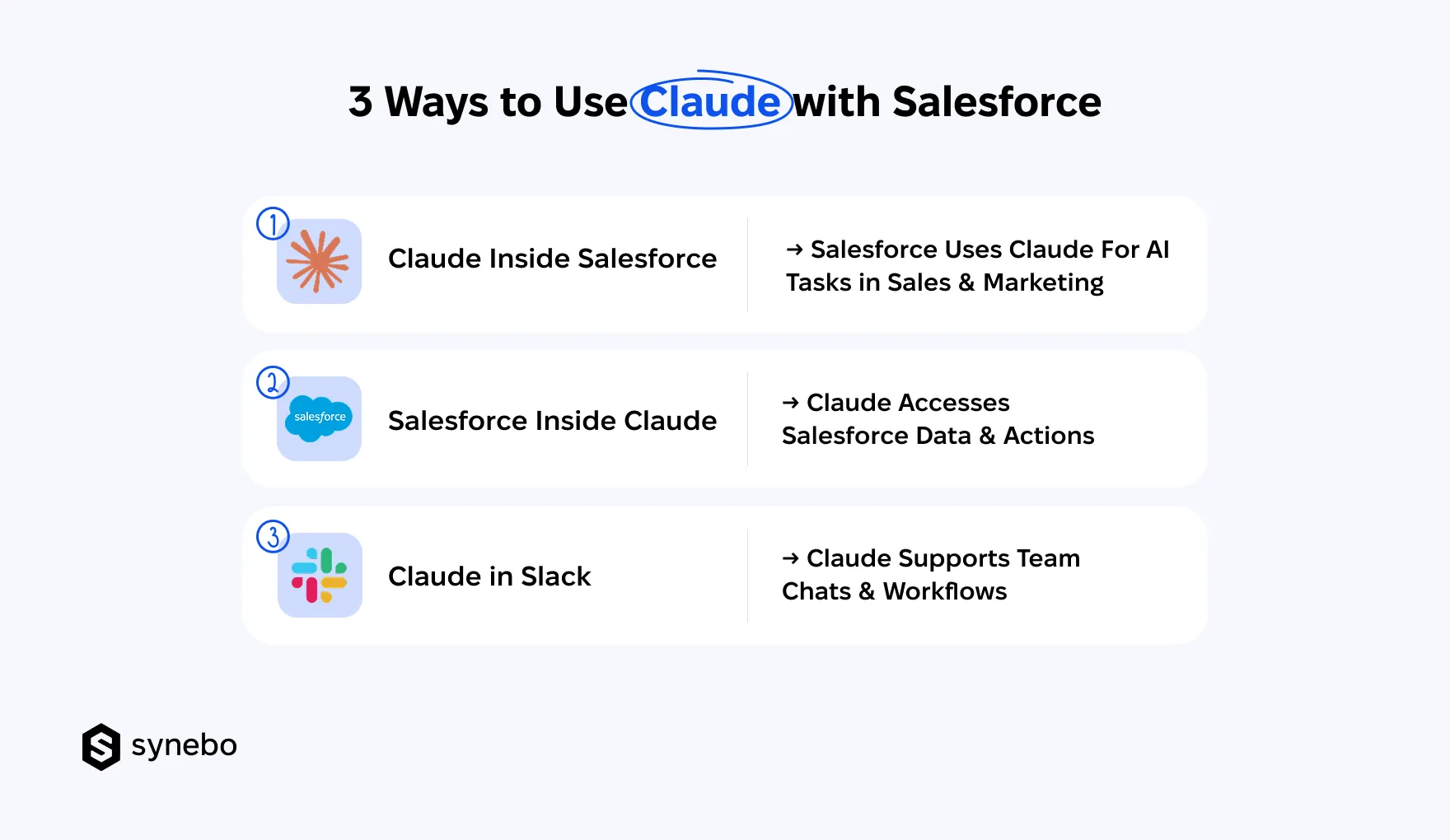
- Claude Was Already Available Іnside Salesforce. Even before Salesforce and Anthropic announced Claudeforce, SF customers could use Claude in products such as Agentforce (where it serves as a reasoning model for the Atlas Reasoning Engine). So, Claudeforce builds on this existing integration.
- New Development Works in Opposite Direction. Claude can now access SF capabilities from its own interface. It brings SF data, context, workflows, business logic into the Claude environment. The distinction now is that Claude can work with SF context and carries out supported actions (subject to permissions and controls).
- Slack Links AI with Everyday Job. Salesforce holds your business records and process logic. Claude provides an AI interface for this info. Slack is where your people discuss deals, coordinate tasks, make decisions. Bringing these 3 closer helps tie daily talks with relevant context and actions, without treating each tool as an isolated one.
These pieces serve different purposes. Here’s the simplest way to tell the pieces apart:
- Claudeforce – the umbrella; the broader Salesforce and Claude partnership
- Salesforce in Claude – SF data and sales capabilities available directly in Claude
- Claude inside Salesforce – Claude’s reasoning capabilities used in SF products (including Agentforce)
- Claude in Slack – AI assistance embedded in team talks and collaboration workflows
So, Agentforce hasn’t been replaced. It remains Salesforce’s agent platform. Claudeforce expands where Claude AI and Salesforce capabilities can work together and give you another way to put intelligence to work without rebuilding your existing business logic and access controls.
Read Also: Is Traditional Salesforce Changing? Dreamforce 2026 Key Innovations
How much does Сlaudeforce cost? It has no separately published price at the moment. Access reqs and any associated costs depend on your Claude plan and SF licensing.
Claudeforce vs Agentforce: What is the Difference?
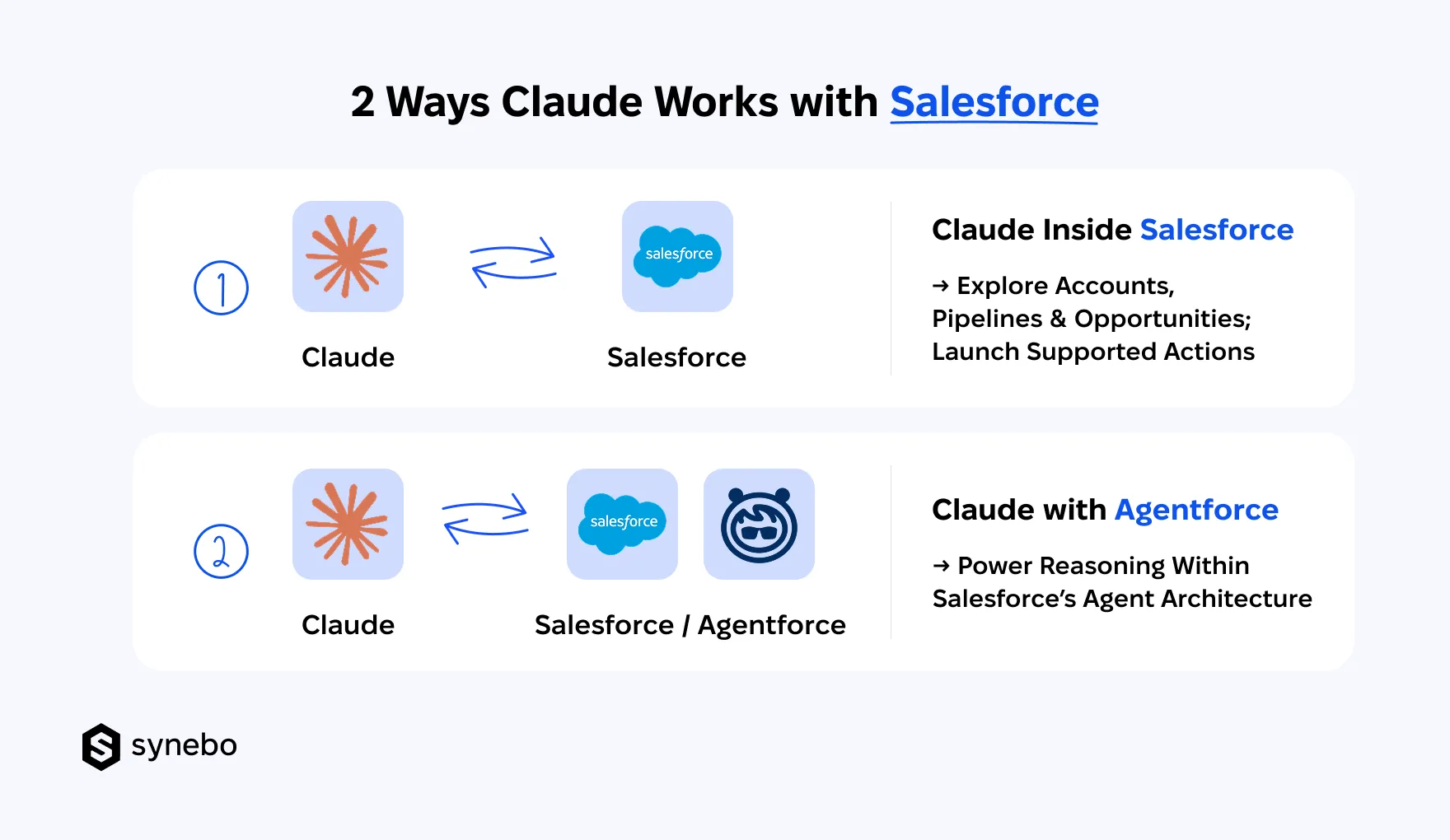
Claudeforce connects Claude with SF in ways that extend beyond Salesforce’s own agent platform. It also brings SF context and capabilities into Claude and gives you another way to work with CRM information.
Agentforce lets you build and manage AI agents within Salesforce.
The distinction is important if you already use both platforms. You are not choosing Agentforce vs Claudeforce as competing products. You are deciding where each platform fits into your AI architecture, which tasks it handles, and how SF retains control over business data and actions.
Here’s what sets their roles apart.
Where Users Work
- Claudeforce: With Salesforce in Claude, your sales team can ask Claude to review account history, prepare for meetings, assess pipeline health – all using SF info. And all – within Claude.
- Agentforce: Users interact with AI agents through SF interfaces and configured workflows. The work stays in the SF environment (where CRM tasks already take place).
Where AI Operates
- Claudeforce: The Claude and Salesforce partnership connects Claude with SF capabilities. So, Claude can use permitted CRM context and supported actions.
- Agentforce: Agents operate within SF’s agent platform. To carry out assigned tasks, they use configured tools, business logic, available sources of data.
Who Initiates Work
- Claudeforce: Your user can ask Claude to investigate a sales question, summarize an account, or recommend next steps. The initial interaction starts in Claude.
- Agentforce: Your user’s request, business event, or configured automation activates an AI agent. This allows you to incorporate AI into your established SF processes (including those tasks that don’t start with a direct user prompt).
Where SF Data and Rules Live
- Claudeforce: The Anthropic Claude and Salesforce integration gives Claude access to permitted SF data. Supported actions are routed through SF controls. Existing permissions and business rules remain relevant to these actions.
- Agentforce: SF provides the environment for agent configuration, CRM access, business logic. Your admins manage how AI agents interact with your data and which actions they can perform.
Neither setup automatically grants unrestricted access. The actual permissions, available capabilities, plus controls depend on the config.
Where Claude Аcts as Reasoning Layer
- Claudeforce: Claude can interpret sales context, compare account signals, identify potential deal risks, suggest follow-up steps – yet, it does it using info available through the integration.
- Agentforce: Claude can also serve as a reasoning model in Agentforce. In this setup, its reasoning capabilities support the AI agents that were built for and are managed in SF.
Where Agentforce Remains Platform
- Claudeforce: The current Claude and Salesforce integration extends SF capabilities into Claude and brings Claude into SF products. This partnership works in both directions.
- Agentforce: Agentforce remains the platform for building and managing SF AI agents. And you can still use Claude in this environment (without replacing your existing agent platform).
I want to add that Claudeforce vs Agentforce is really not a choice between 2 equivalent products. Claudeforce expands how Claude and Salesforce work together. Agentforce provides the platform for your enterprise agents inside SF. Your architecture can use both, depending on where your employees work and how your business governs AI actions.
Need to determine how Claudeforce and Agentforce fit your AI architecture? Synebo can help you assess your SF setup, integration requirements, business processes, and identify the right approach. Contact us.
What Can You Do with Claude and Salesforce Together? (Use Cases)
Claude and Salesforce integration can help your sales team prepare for calls, spot deal risks, handle SF updates, build quarterly presentations. Salesforce and Anthropic offer 37 prebuilt sales skills for tasks such as account research, pipeline reviews, meeting follow-up, and more.
What do the Salesforce-Claudeforce capabilities look like in your everyday work?
- Account & Meeting Preparation. Claude pulls together SF account history, open opportunities, recent interactions to prepare customer briefings. Your Reps get relevant context before the call – they don’t have to dig through multiple records.
- Pipeline & Deal Review. Claude reviews opportunity details, spots deals with little or no activity, shows accounts that need your attention. Your Sales managers can focus pipeline discussions on risks, missing info, next steps.
- Meeting Follow-Up. With the Claude and Salesforce integration, you can turn meeting notes into follow-up emails, extract commitments, and more. You provide the notes (or a transcript), and Claude drafts these emails and agreed action points, plus proposes SF record updates. Your Reps spend less time documenting conversations.
- SF Record Maintenance. With Salesforce integration with Claude, also less time goes into updating SF records by hand. Claude can suggest changes or make updates that were approved (depending on its access). And you control what gets changed.
- Revenue Planning & QBR Preparation. Claude can combine SF opportunity data with available context and draft QBR presentations, summarize revenue trends, flag questions for further review. Managers get a useful first draft without starting from a totally blank slide.
These Claudeforce use cases connect SF info with your everyday sales decisions.
Alongside, my colleague, Victoria Khanchevska, Head of Delivery at Synebo, emphasizes: “Claude can review an opportunity in seconds. But it can’t fill in the business context that SF never captured. Your reliable account records, relevant activity history, and appropriate access determine if its recommendations help you move a deal forward or send you chasing the wrong issue.”
I’d only add one important thing here: knowing which decisions should stay firmly in human hands. Claude can propose or perform an action through the SF connection. But existing SF permissions still determine what it can access, and proposed changes may require user approval.
Read Also: Dreamforce 2026: AI Is Only as Good as Business Context Behind It
Where Does Claudeforce Fit into Your Salesforce and AI Roadmap?
Claudeforce fits into your AI roadmap differently. It depends on where your employees work, how your company uses SF, which platform should manage AI-driven actions. You don’t have to rebuild your existing setup. Start with what your teams already use and find where the connection adds something useful.
Here are some tips:
- If You Already Work Heavily in Claude. Using Claude for research and analysis? Bring SF context into this environment. Just check how your people handle sensitive info, share AI-generated findings, document decisions. Before adding SF context into their routines, define what data they can use and how AI-assisted work should be reviewed.
- If Your AI Strategy Is SF-Centered. If your AI workflows already live in SF, examine the tech reqs for introducing Claude into your current SF setup. Check compatibility, licensing, existing customizations, the resources required to test and maintain the setup.
- If You Already Use Both. This is where Claudeforce and Agentforce call for a division of responsibilities. Define what Claude handles, what Agentforce executes, and which SF records remain the source of truth. Plus, check the combined cost of licenses, usage, maintenance (look for overlapping capabilities that add expense without enough value).
- If You Are Still Building Your AI Foundation. Start with a business process, not a model. Which decision takes too long? What info would improve it? Which actions can AI perform, and which require approval? These answers will tell you if Claude and Salesforce integration belongs in your first implementation or a later stage.
Salesforce outlines both sides of the partnership in its official Claudeforce announcement. Use it as a starting point. Then assess the fit against your current architecture, data access, planned AI projects.
Claudeforce: From Experiments to Workable Salesforce Strategy
The Salesforce and Claude integration adds a new player to your AI stack and your daily operations. CRM context is now able to inform AI work, and supported actions can now follow SF rules.
Yet, the quality of Claude’s output depends on how well your SF data, processes, and access controls support this work.
If you’re assessing Claudeforce Salesforce integration or deciding how it fits with Agentforce, Synebo can help evaluate your SF architecture, integration requirements, and implementation options before you commit resources. Talk to our experts.
No. Agentforce is SF’s platform for building AI agents. Claudeforce refers to the broader Salesforce and Anthropic partnership, which brings Claude into Salesforce and Salesforce capabilities into Claude. They serve different roles. Agentforce runs AI agents in SF. Claude can work with SF data from its own interface.
Yes. Claude and Salesforce integration lets Claude access SF data through supported connections (subject to access permissions). You can ask Claude about your CRM data from the Claude interface – you don’t have to open Salesforce for every query. What Claude can see or do depends on your access rights. It won’t automatically get the keys to your entire SF setup.
No. Salesforce integration with Claude works through a secure connection to your SF org. You don’t need to deploy an Agentforce agent. What you still need is an eligible Salesforce edition, a supported Claude subscription, and admin configuration. Claude is a separate entry point to SF data, not a replacement for Agentforce.